
40 lines
1.9 KiB
Markdown
40 lines
1.9 KiB
Markdown
提醒:本文最后更新于 2025-03-02 23:02,文中所关联的信息可能已发生改变,请知悉!
|
||
|
||
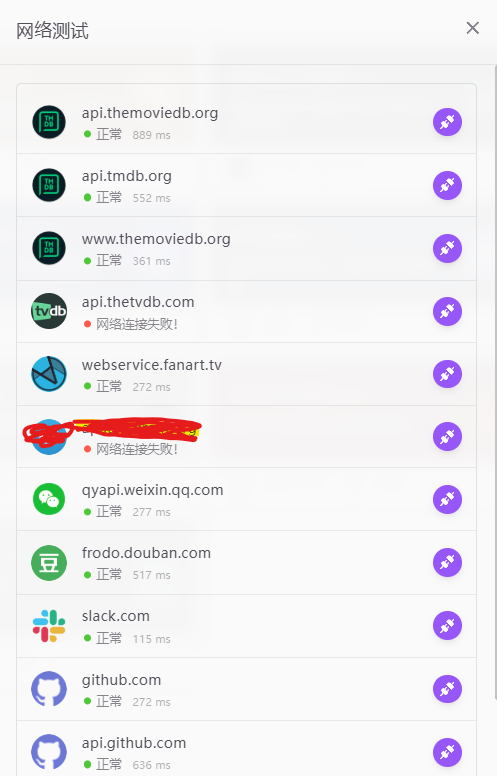
这几天突然抽风了,怎么也连接不上 api.themoviedb.org,api.tmdb.org,www.themoviedb.org 这几个网站,众所周知这几个网址对我们搞影视墙的人那是相当重要,思来想去很多办法都试过了,包括用代代,但是总觉得这样有潜在风险,所以最终选择了内部问题内部解决,至少改一次能管几个月吧,而且修改一次 Hosts 用时不到 5 分钟,好啦,教程正式开始!
|
||
|
||
1\. 获取网址对应的 IP 地址
|
||
-----------------
|
||
|
||
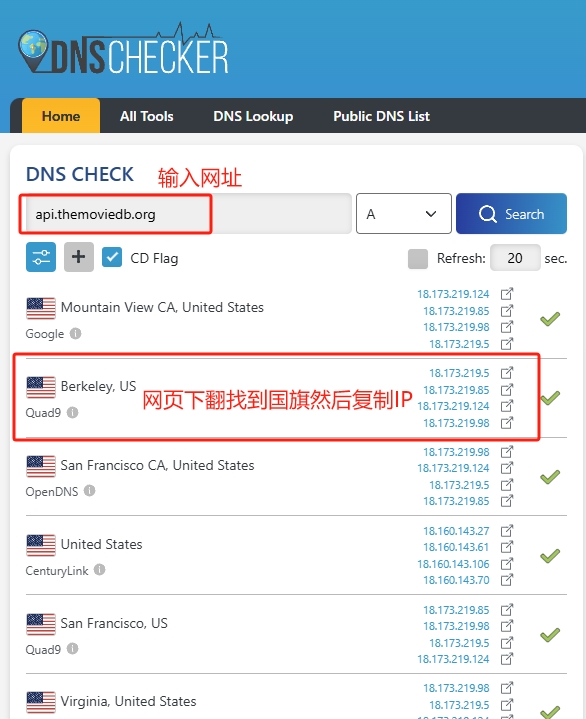
打开 [https://dnschecker.org/](https://dnschecker.org/),分别输入你要查找的网址,如图
|
||
|
||
|
||
|
||
2\. 安装 MoviePilot 修改 Hosts 插件
|
||
-----------------------------
|
||
|
||

|
||
|
||
|
||
|
||
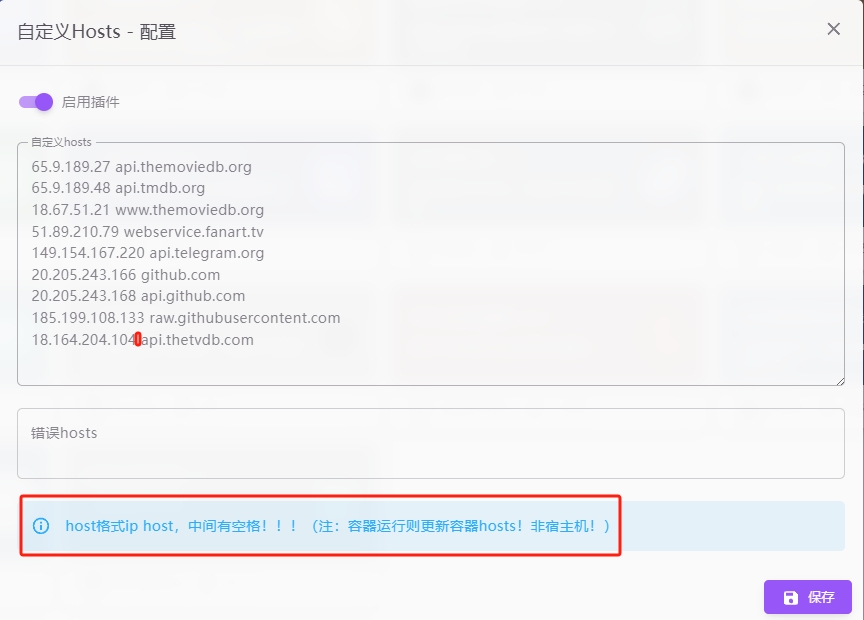
注意网址和 IP 之间有空格!!!输入之后点击保存即可!
|
||
|
||
|
||
|
||
3\. 其他用法
|
||
--------
|
||
|
||
只要查询到了网址对应 IP,修改 Hosts 这种办法很多地方都可以用,你也可以选择直接修改 DOCKER 的 HOSTS,或者极空间的 HOSTS,但是要用 SSH 连接,可能会有风险,我还是比较推荐我上面的这种办法,配合极影视已经无敌了,没必要再搞别的了。
|
||
|
||
```
|
||
|
||
| | 近期我查询到的对应 IP,后面如果我有更换会在这里更新,有需要的小伙伴加群或者收藏本网站吧。 |
|
||
| | 65.9.189.27 api.themoviedb.org |
|
||
| | 65.9.189.48 api.tmdb.org |
|
||
| | 18.67.51.21 www.themoviedb.org |
|
||
| | 51.89.210.79 webservice.fanart.tv |
|
||
| | 149.154.167.220 api.telegram.org |
|
||
| | 20.200.245.247 github.com |
|
||
| | 20.205.243.168 api.github.com |
|
||
| | 185.199.111.133 raw.githubusercontent.com |
|
||
| | 3.170.218.86 api.thetvdb.com |
|
||
``` |