
84 lines
2.7 KiB
Markdown
84 lines
2.7 KiB
Markdown
---
|
|
title: "Syncthing 由「忽略模式」导致的同步异常 - Keenwon's Blog"
|
|
source: "https://keenwon.com/syncthing-error-caused-by-ignoring-mode/"
|
|
author:
|
|
published:
|
|
created: 2026-01-12
|
|
description: "keenwon's blog"
|
|
tags:
|
|
- "clippings"
|
|
---
|
|
[**Keenwon's Blog**](https://keenwon.com/)
|
|
|
|
- [Home](https://keenwon.com/)
|
|
- [Github](https://github.com/keenwon)
|
|
- [Findit](https://keenwon.com/1436/)
|
|
- [jqPaginator](https://jqpaginator.keenwon.com/)
|
|
- [About](https://keenwon.com/about/)
|
|
|
|
上周末遇到一个 Syncthing 同步的问题。在家里的台式机上,删除了一些没用的文件,大概 100MB,但是同步给笔记本的进度一直卡在 95% 左右。两台设备是通过海外的「中继」连接的,所以当时单纯以为是速度问题。
|
|
|
|
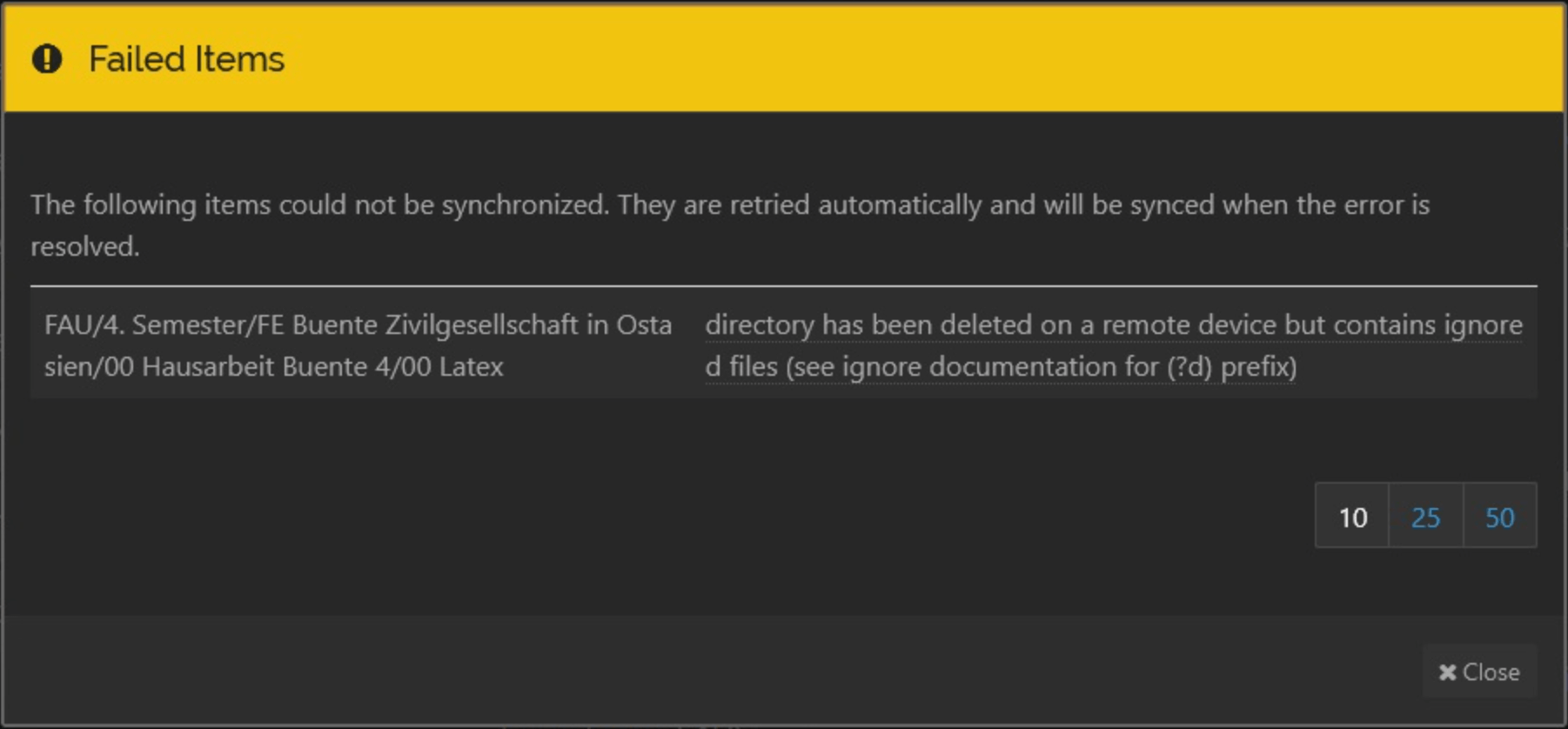
但周一拿到笔记本之后,发现实际上是同步失败了,大概长这样(图是 [网上](https://forum.syncthing.net/t/folder-and-files-not-deleted-even-with-d-ignore-patterns-solved/18262) 找的):
|
|
|
|
|
|
|
|
异常信息是:
|
|
|
|
```bash
|
|
delete dir: directory has been deleted on a remote device but contains ignored files (see ignore documentation for (?d) prefix)
|
|
```
|
|
|
|
查看了下 [忽略模式](https://docs.syncthing.net/v1.26.0/users/ignoring) 的文档,发现产生这个问题的原因是:假设有两台设备,windows 和 mac,同步的文件目录结构如下:
|
|
|
|
```bash
|
|
.
|
|
├── a
|
|
│ ├── 1.txt
|
|
│ └── 2.txt
|
|
├── b
|
|
└── c
|
|
```
|
|
|
|
在使用过程中,mac 设备很容易产生 `.DS_Store` 文件,目录成了:
|
|
|
|
```bash
|
|
.
|
|
├── a
|
|
│ ├── .DS_Store
|
|
│ ├── 1.txt
|
|
│ └── 2.txt
|
|
├── b
|
|
└── c
|
|
```
|
|
|
|
**因为 `.DS_Store` 文件不需要同步给 windows,所以当 mac 忽略 `.DS_Store` 的同时,windows 删除了 `a` 目录,mac 端就会报错,同步失败。**
|
|
|
|
原因其实也很简单,对于 Syncthing 来说,它只同步了 `a/1.txt` 和 `b/1.txt` ,当 windows 删除 `a` 目录时,它知道 mac 侧有未纳入同步的文件 `.DS_Store` ,所以就不能直接删目录。
|
|
|
|
这种情况是很常见的,一些工具经常在本地生成临时文件,针对这种情况,Syncthing 支持在定义忽略文件时,通过 `(?d)` 前缀来声明,该文件不影响目录的删除。
|
|
|
|
```bash
|
|
// Mac
|
|
(?d)(?i).DS_Store
|
|
(?d).project
|
|
|
|
// Windows
|
|
(?d)(?i)Thumbs.db
|
|
(?d)(?i)ehthumbs.db
|
|
(?d)(?i)Desktop.ini
|
|
//群晖
|
|
|
|
(?d)(?i)@eaDir
|
|
|
|
|
|
```
|
|
|
|
赞赏
|
|
|
|

|
|
|
|
微信
|
|
|
|

|
|
|
|
本作品采用 [知识共享署名-非商业性使用-禁止演绎 4.0 国际许可协议](https://creativecommons.org/licenses/by-nc-nd/4.0/deed.zh) 进行许可 |